Tell Dopppel how to answer
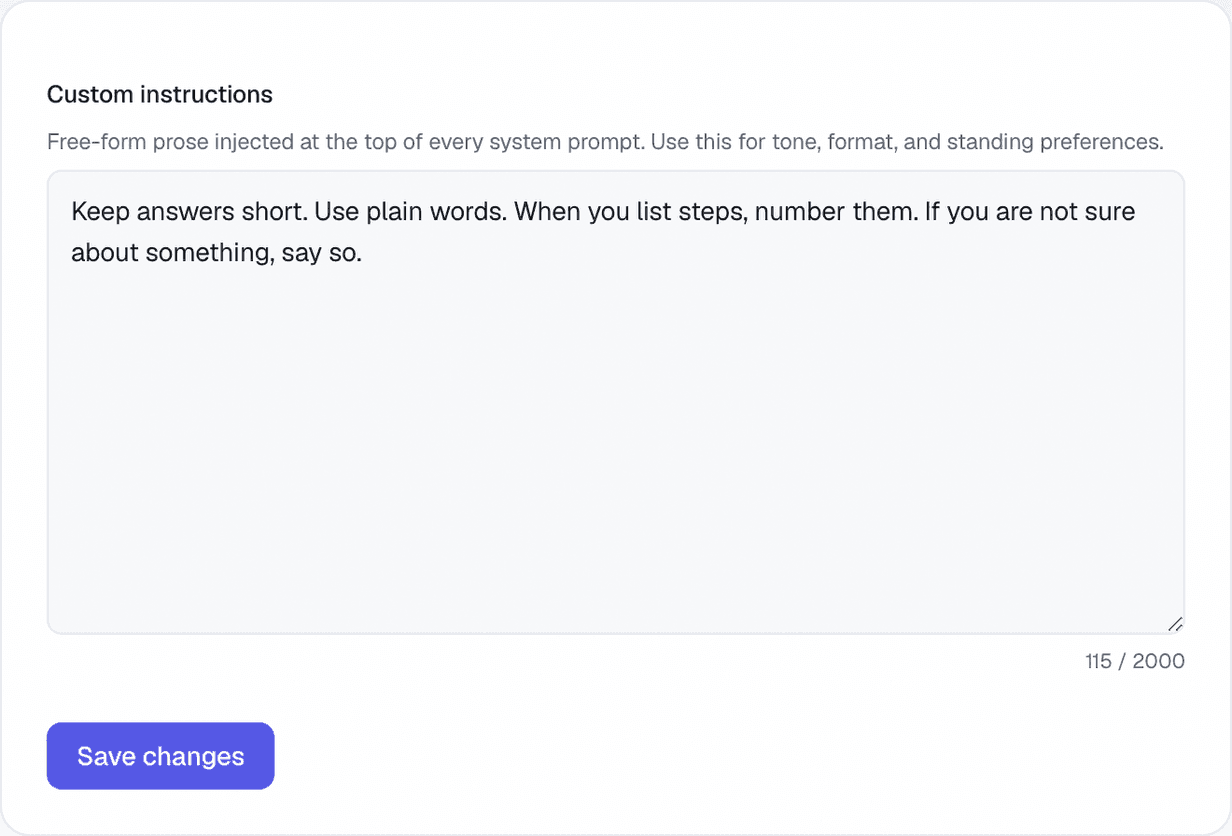
There is one box where you write how you want to be answered. Dopppel reads it before every answer, in every chat.
1 min readMaking it yoursUpdated 22 September 2026
What it is
Some things you would have to say over and over: keep it short, use plain words, always show the steps. Write them once here instead.
The box is in Settings, under Instructions. You write in normal sentences, the way you would ask a person. There is no list to pick from and nothing to set up.
It holds up to 2,000 letters, and a counter under the box shows how much you have used. What you write stays until you change it, so it works the same in a new chat tomorrow.
How to use it
- 1Open Settings from your account menu, then pick Instructions.
- 2Write how you want your answers. For example: "Keep answers short. Use plain words."
- 3Keep an eye on the counter under the box. 2,000 letters is the most.
- 4Tap "Save changes".
- 5Start a chat and see the difference. Come back and change it any time.
Questions
What should I write in there?
Anything about how you want answers. How long they are, how plain the words are, whether you want steps numbered, what you already know.
How much can I write?
Up to 2,000 letters. The counter under the box keeps track for you.
Does it work in every chat?
Yes. It is read before every answer, in every chat, until you change it.
Can I turn it off?
Yes. Empty the box and save, and Dopppel goes back to answering its normal way.
Is this the same as memory?
No. Memory is what Dopppel picks up about you on its own. This box is what you tell it, in your own words, about how to answer.
Was this helpful?