Make Dopppel your own
Dopppel does not have to be called Dopppel. You can name it, tell it what to call you, and list the things you like.
2 min readMaking it yoursUpdated 22 September 2026
What it is
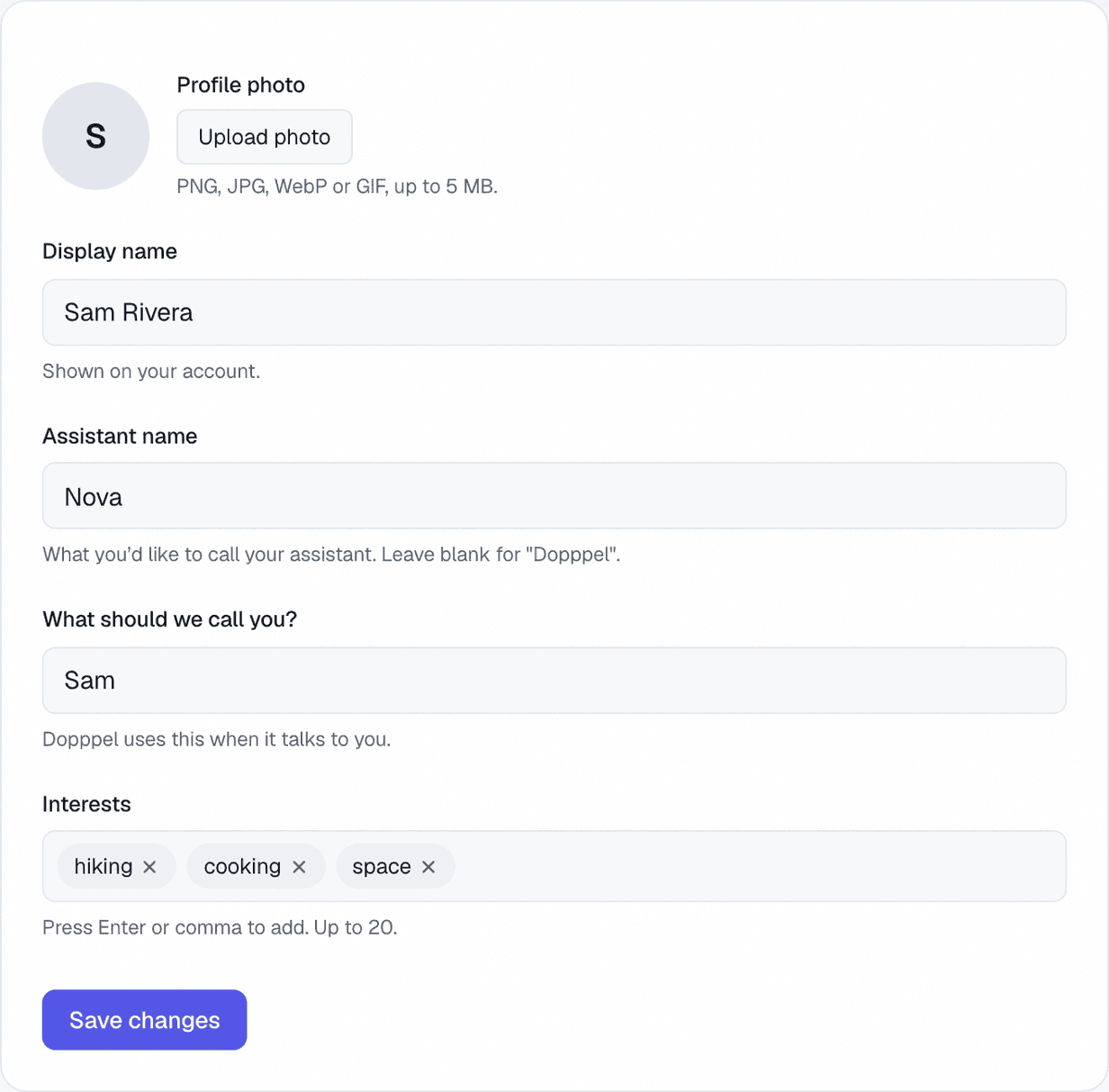
Open Settings and pick Personalization. This is the page where you tell Dopppel who you are.
You can give it a name of your own — Nova, or anything you like. Leave the box empty and it stays Dopppel. Under that, type the name you want to be called, so it talks to you the way your friends do.
Interests are short words like hiking, cooking or space. Dopppel uses them to pick examples and ideas that fit you. You can add up to 20, and take any one off again. A profile photo goes here too, and your friends see it in a Gäng.
How to use it
- 1Open Settings from your account menu, then pick Personalization.
- 2Type a name in "Assistant name" if you want to call it something else.
- 3Type your own name under "What should we call you?".
- 4Add an interest and press Enter. Do that again for each one.
- 5Tap "Save changes". Your next chat uses all of it.
Questions
Can I change what Dopppel is called?
Yes. Type a new name in Settings, under Personalization. Leave the box empty and it goes back to Dopppel.
Can I pick what it calls me?
Yes. Type the name you want under "What should we call you?" and it uses that when it talks to you.
What are interests for?
They help Dopppel pick examples and ideas that fit you. Add short words like hiking or cooking. You can add up to 20.
Can I add a photo?
Yes. Tap "Upload photo" at the top of the page. It can be up to 5 MB. If you signed in with Google, your Google photo is used until you pick one.
Do my friends see any of this?
They see your name and your photo in a Gäng. Your interests are only used in your own chats.
Do I need an account for this?
Yes. These are saved to your account, so you have to be signed in.
Was this helpful?